DMARC in plain English: stop people faking your email
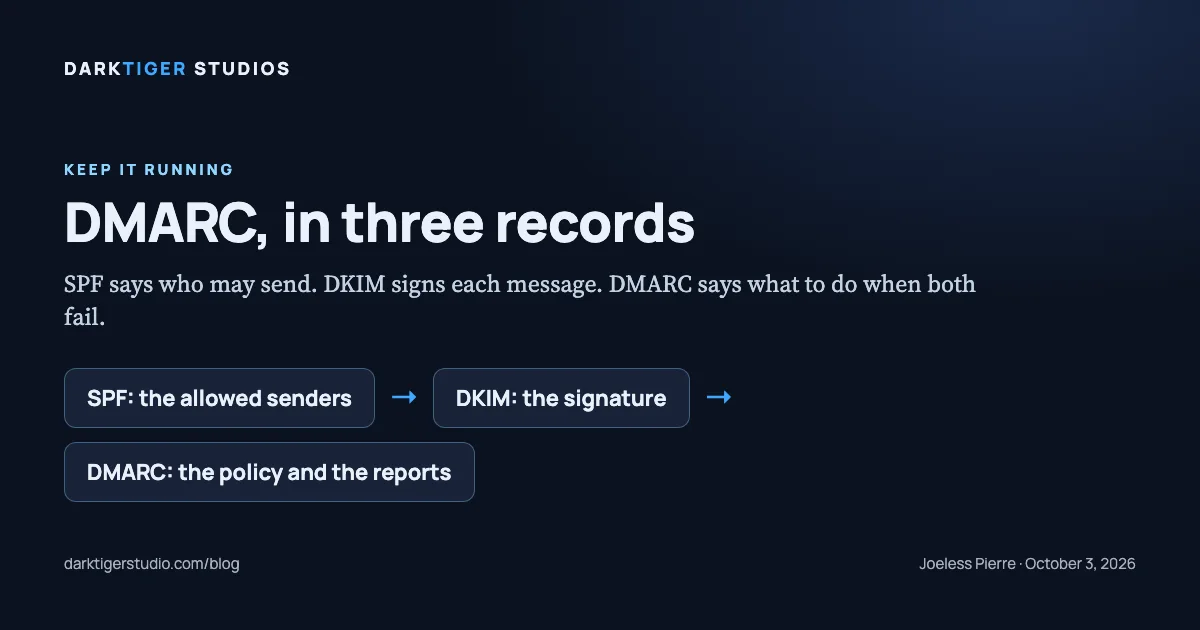
DMARC is a single line in your domain's DNS that tells every receiving mail server what to do with a message that says it is from your domain but cannot prove it, and without that line, anyone on earth can send email with your business name in the From field and most servers will deliver it. The record is one line to add. The hard part is knowing it exists.
The problem it solves
Email was built without a way to check who sent a message. The SPF standard opens with the admission: "Email on the Internet can be forged in a number of ways. In particular, existing protocols place no restriction on what a sending host can use as the 'MAIL FROM' of a message" (Source: RFC 7208). A scammer can put office@yourcompany.com in the From field of a message to your customer asking them to pay a deposit to a new account, and the message looks exactly like yours because nothing in the original design says it cannot.
Three records, all published in your domain's DNS, close that gap. DMARC is the third, and it only works on top of the first two.
The three records
SPF, the allowed-senders list. SPF is the protocol "whereby ADministrative Management Domains (ADMDs) can explicitly authorize the hosts that are allowed to use their domain names, and a receiving host can check such authorization" (Source: RFC 7208). In practice: a TXT record on your domain that says "mail from this domain comes from Google's servers and from our form service, and nowhere else."
DKIM, the signature. DKIM "permits a person, role, or organization that owns the signing domain to claim some responsibility for a message by associating the domain with the message" (Source: RFC 6376). Your mail provider signs each outgoing message with a private key; the matching public key is published in your DNS; a receiving server checks the signature. A forged message cannot carry a valid signature.
DMARC, the policy and the reports. The standard defines it as "a scalable mechanism by which a mail-originating organization can express domain-level policies and preferences for message validation, disposition, and reporting, that a mail-receiving organization can use to improve mail handling" (Source: RFC 7489). The dmarc.org overview puts the relationship plainly: "DMARC builds upon both the DomainKeys Identified Mail (DKIM) and Sender Policy Framework (SPF) specifications" (Source: dmarc.org). Google's description for administrators is the shortest: "DMARC tells receiving email servers what action to take on messages sent from your domain that don't pass SPF or DKIM authentication" (Source: Google, Set up DMARC).
The record and its three policies
DMARC lives at a fixed address. The standard stores the record as a DNS TXT record in a subdomain named _dmarc, so for your domain it sits at _dmarc. followed by your domain name (Source: RFC 7489, section 6.1).
A starting record looks like this:
v=DMARC1; p=none; rua=mailto:dmarc@yourdomain.comv=DMARC1 names the version. p= is the policy. rua= is where the daily reports go. Use a mailbox on your own domain for the reports. Google's own example of a finished record is stricter: p=reject, two report addresses, pct=100, adkim=s and aspf=s (Source: Google, Set up DMARC).
The policy is the part that matters, and the standard defines each value (Source: RFC 7489):
| Policy | What the standard says | What Google's servers do (Source: Google, Set up DMARC) |
|---|---|---|
p=none | "The Domain Owner requests no specific action be taken regarding delivery of messages." | "Take no action on the message and deliver it to the intended recipient. Log messages in a daily report." |
p=quarantine | "The Domain Owner wishes to have email that fails the DMARC mechanism check be treated by Mail Receivers as suspicious." | "Mark the messages as spam and send it to the recipient's spam folder." |
p=reject | "The Domain Owner wishes for Mail Receivers to reject email that fails the DMARC mechanism check." | "Reject the message. With this option, the receiving server usually sends a bounce message to the sending server." |
Google's advice on where to begin: "When you start using DMARC, we recommend setting the policy option (p) to none. As you learn how messages from your domain are authenticated by receiving servers, update your policy" (Source: Google, Set up DMARC). dmarc.org says the same in one line: "Modify your DMARC policy flags from 'none' to 'quarantine' to 'reject' as you gain experience" (Source: dmarc.org).
The reason for the slow start is the reports. With p=none and a rua= address, receiving servers send you a daily summary of every server that sent mail claiming your domain and whether it passed. That list shows you the senders you forgot: the invoicing tool, the booking app, the website form. Each one needs to be in SPF or signing with DKIM before you tighten the policy, or your own real mail starts landing in spam.
What Google requires of senders
This stopped being optional for anyone sending to Gmail addresses. Google's sender guidelines set two tiers (Source: Google, Email sender guidelines). For all senders: "Set up SPF or DKIM email authentication for your sending domains." For anyone sending 5,000 or more messages a day: "Set up SPF and DKIM email authentication for your domain," "Set up DMARC email authentication for your sending domain," and the policy "can be set to none." The consequence is stated once for both tiers: "If you don't meet the requirements described in this article, your email might not be delivered as expected, or might be marked as spam."
A contractor is not a bulk sender. But the first tier applies to every business, and the second tier is the standard the big mail providers are grading everyone against.
How to check your own domain
On a computer, open a terminal and type dig TXT _dmarc.yourdomain.com with your real domain. A record comes back starting v=DMARC1, or nothing comes back. Nothing means no policy, which means no protection. The same check for SPF is dig TXT yourdomain.com, and you are looking for a line starting v=spf1. If you would rather not use a terminal, any public DNS lookup tool takes the same two names.
Also check that your website's form sends from an address that passes. A form that sends "from" your domain through a relay service that is not in your SPF record is a forged message by the standard's definition, and it will be the first thing the reports show you.
What to do about it
Add the SPF record naming your real senders, turn on DKIM at your mail provider, publish _dmarc at p=none with a report address, read the reports for a month, then move to quarantine and later reject. That is the whole sequence. It is not complicated; it is just the kind of task that nobody owns, so it never happens.
On our Care Plan, $95 a month, the full gate re-runs on your site every month, and two of its rows are "SPF record on domain" and "DMARC record on domain." If either disappears because a DNS change wiped it, the report says so and we put it back. Details at /care-plan.
Sources
- RFC 7489, DMARC: the definition, the three policies, the _dmarc record location
- dmarc.org, Overview: DMARC builds on SPF and DKIM; move from none to quarantine to reject
- Google Workspace Admin Help, Set up DMARC: what each policy does, the record format, start at none
- Google Workspace Admin Help, Email sender guidelines: SPF or DKIM for all senders; DMARC for bulk senders; consequences
- RFC 7208, SPF: the domain owner authorizes the hosts allowed to use the domain
- RFC 6376, DKIM: a signature ties the message to the domain that takes responsibility for it