Static sites explained: why a plumber's site does not need a database
A plumber's site does not need a database because nothing on it changes from one visitor to the next. The pages, the photos, the phone number, the hours and the service area are the same for everyone, so they can be written out once as files and handed to the browser exactly as they are. That is what "static" means, and it is the right shape for most trade and service sites.
Static and dynamic, in MDN's words
The Mozilla Developer Network, the reference most working developers use, defines the two kinds of server plainly.
"A static web server, or stack, consists of a computer (hardware) with an HTTP server (software). We call it 'static' because the server sends its hosted files as-is to your browser" (Source: MDN).
"A dynamic web server consists of a static web server plus extra software, most commonly an application server and a database. We call it 'dynamic' because the application server updates the hosted files before sending content to your browser via the HTTP server" (Source: MDN).
So the question for any site is: does a page need to be assembled at the moment someone asks for it? A news feed does. A customer's account page does. A roofing company's services page does not.
What a database-driven site carries
WordPress is the common example, and it is a fine tool for a site that changes every day or has logins. Its own requirements page lists what it needs to run: "PHP version 8.3 or greater," "MariaDB version 10.11 or greater OR MySQL version 8.0 or greater," and "HTTPS support" (Source: WordPress.org). That is a programming language runtime, a database server and the WordPress application itself, plus whatever theme and plugins were installed, each running on every request and each needing updates when a security fix is published.
None of that is wrong. It is a cost. Every moving part is something that can go out of date, be misconfigured, or be attacked, and someone has to be watching it. A trade site that has not changed since the day it launched is paying that cost for nothing.
What a trade site actually does
List what your site has to do and see if anything on it needs a database:
- Tell people what you do and where (text)
- Show the work (photos)
- Let them call you (a tap-to-call link)
- Let them write to you (a form that delivers to your inbox)
- Show hours, service area, licence, reviews (text)
- Carry a privacy page and an accessibility page (text)
The one item that moves, the form, does not need a database on your site. The form posts to a form service, which emails you and keeps the record. Your site stays files.
How we build one
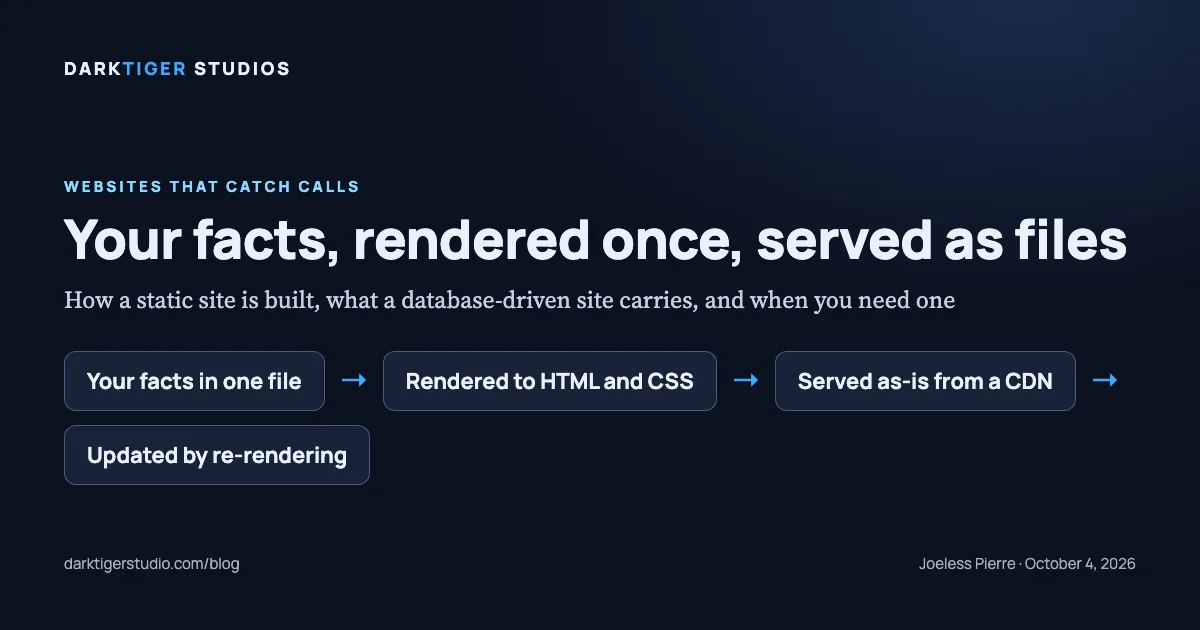
This is the diagram on the card, in four steps.
- Your facts in one file. Business name, phone, hours, services, service area, the words you approved for each page. One structured file is the single source for every page.
- Rendered to HTML and CSS. A script reads that file and writes out every page: home, services, about, contact, privacy, accessibility, the 404. The same facts print the same way everywhere, so the phone number in the header matches the one in the footer and in the structured data by construction.
- Served as-is from a CDN. The files go to a content delivery network. Ours is Vercel's, "a globally distributed network that caches content near your visitors," 126 points of presence across 51 countries, with HTTPS certificates provisioned automatically on every deployment (Source: Vercel docs). There is no server of yours to patch and no database to back up.
- Updated by re-rendering. Change a fact, the renderer writes the pages again, the gate runs, the files ship. Undo is a revert. The whole site is a folder you can hold.
One security benefit follows from this shape. Because every page is written by one renderer with no inline scripts or styles, the site can carry a strict Content Security Policy, "a series of instructions from a website to a browser, which instruct the browser to place restrictions on the things that the code comprising the site is allowed to do," whose main use is blocking injected scripts (Source: MDN). A site whose plugins depend on inline code cannot run a policy that strict.
When you do need one
Be honest with yourself about this list:
- Online booking with live availability
- Customer accounts or logins
- Inventory or a product catalogue that changes by the hour
- A blog with several authors posting from a browser
If you need one of those, you need a database somewhere. The question is whether it should be on your site. Usually the better answer is a tool built for the job, a scheduler like Jobber or Housecall Pro, connected to your static site through a link or an embedded form. The tool holds the data and patches itself; your site stays files. That is how our Custom package connects a scheduler; Growth lands the lead form on your booking calendar. It is why the "no database" rule does not cost you booking.
What it means for you
Fewer parts to patch. A site that is a folder, so it moves between hosts without a migration project. A strict security policy that most platforms cannot offer. A phone number that is right on every page because it is written once. And a plain answer when someone asks what your site runs on: files.
Every package we sell is built this way, from Starter at $1,900 to Custom from $10,250, and the files are yours on final payment. See the packages at /build.
Sources
- What is a web server?: the definitions of a static and a dynamic web server
- WordPress requirements: the PHP and database versions a WordPress site needs
- Vercel CDN overview: a global network that caches content near visitors, with HTTPS provisioned automatically
- Content Security Policy (CSP): the browser-side restriction a static site can apply strictly