WordPress vs custom website: which is better for contractors?
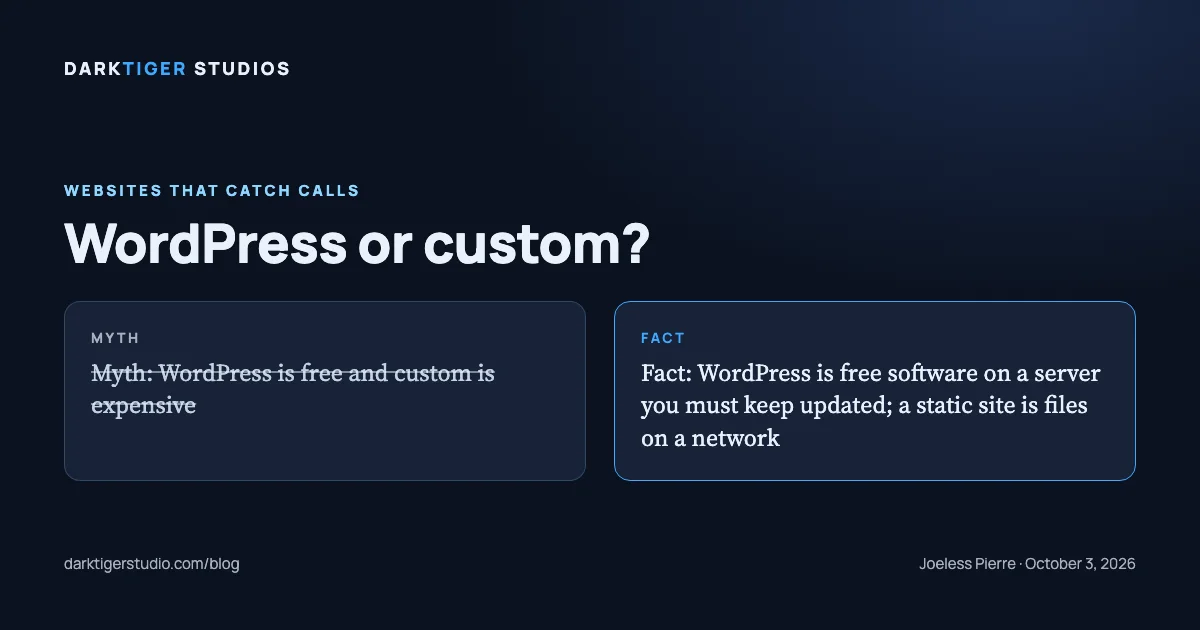
For a contractor site of five to ten pages that changes a few times a year, a custom static site has fewer moving parts than WordPress and nothing that needs patching on a schedule, and WordPress is the better tool when several people need to publish often without a developer. That is the whole comparison in one sentence. The rest of this post is the evidence, taken from each platform's own documentation, with no made-up statistics about hacks.
First, what each one is
WordPress is a program written in PHP that runs on a web server, stores every page in a database, and assembles the HTML each time a visitor asks for a page. Its own requirements page lists what the server must provide: "PHP version 8.3 or greater," "MariaDB version 10.11 or greater OR MySQL version 8.0 or greater," "HTTPS support," and "Apache or Nginx" as the recommended server (Source: WordPress.org, Requirements).
A custom static site, which is what we build, is a set of finished HTML, CSS and image files. There is no program running on the server and no database. The files are placed on a content delivery network, and each visitor is handed a copy from the location nearest them. Vercel, the network we host on, describes it as "a globally distributed network that caches content near your visitors," and lists "Static sites and marketing pages: Pre-render pages at build time and serve them from the CDN without invoking your origin" as one of the things it is for (Source: Vercel).
So the difference is not design. Either can look like anything. The difference is what sits between the visitor and the page: a running program and a database, or nothing.
Updates and plugins
WordPress must be kept current, and its documentation says so without hedging: "You should always update WordPress to the latest version" (Source: WordPress.org, Updating WordPress). Since version 3.7, "you don't have to lift a finger to apply minor and security updates," but "you'll still need to click 'Update Now' for major feature releases" (Source: WordPress.org, Updating WordPress). The same page opens with a warning: the upgrade "will affect all files and folders included in the main WordPress installation," and "if you have made any modifications to those files, your changes will be lost." It recommends a backup before every update.
The security guide adds the plugin half: "make sure your plugins are always updated," and keep "up to date with the latest version of WordPress" (Source: WordPress.org, Hardening). It also sets the honest expectation for any software that runs on a server: "What security is though is risk reduction, not risk elimination" (Source: WordPress.org, Hardening).
A static site has no program to update. The files do not run; they are read. The host keeps its network and certificates current on its side, and the site's own files change only when someone edits them. There is still work: the templates we build from get fixes, a security header gets tightened, a link rots. But nothing on the site needs a patch on a schedule, and a missed month does not open a door.
Plugins are the other half of the update list. They are how WordPress sites get a contact form, a gallery, a booking widget, an SEO panel, a cache, a backup tool. Each one is code written by someone else that runs on your server, and each one is on the update list above. The WordPress plugin directory describes itself as "the largest directory of free and open source WordPress plugins" (Source: WordPress.org, Plugins). That is a strength when you need a feature today. It also means every feature you add is a separate piece of software from a separate author on its own release schedule, and each one joins the list of things that must be kept current. We do not have a count for how many plugins go unmaintained; we are describing the mechanism, not quoting a statistic.
A static site has no plugin layer. A contact form is a form tag that posts to a sending service. A gallery is a list of images. Fewer features are a click away, and fewer things can break on their own.
Hosting
WordPress needs a server that runs PHP and a database, per its requirements page, and that server is a thing someone pays for and someone maintains. Shared hosts bundle it; managed WordPress hosts do the patching for you at a higher price.
A static site needs a place that serves files. On Vercel, "Every deployment uses HTTPS with automatically provisioned SSL certificates" (Source: Vercel), and there is no server of yours to patch. The platform runs the network; your site is a folder on it.
Ownership
Both can be yours. WordPress is released under "the GPLv2 (or later)," and "plugins and themes are derivative work and thus inherit the GPL license" (Source: WordPress.org, License). You can take the files and the database export to any host that meets the requirements.
A static site is a folder of files in a code repository. You can take it to any host that serves files, which is nearly all of them. On our builds the domain and the Google accounts are in your name from day one, and the hosting project and the code are transferred to you on final payment, or on request.
Where ownership goes wrong on either platform is the same place: a builder who registers the domain in their own name, or keeps the only login. That is a contract problem, not a platform problem.
Which one, for whom
WordPress is the right call when:
- Several people publish, often, and none of them should need a developer.
- The site is a blog or a news site with hundreds of posts and categories.
- Visitors need accounts: a customer portal, a members area, a store with carts and inventory.
- You already run it, it is maintained, and nothing is broken.
A custom static site is the right call when:
- Five to ten pages that describe the business and ask for the call.
- The content changes a few times a year: hours, a price, a photo, a new team member.
- Nobody on staff wants to log in to a dashboard, approve updates, or wonder which plugin broke the form.
- Speed in Google's lab test matters to you, and you would rather not fight a theme and a cache plugin to get it.
That describes most plumbers, electricians, roofers and remodelers we talk to. For the few who need the first list, we say so on the call and do not build the second.
What to do next
Count your pages, count the people who will edit them, and count how often. Three numbers, and the answer usually falls out. Our builds start at $1,500 for a one-page site, with the Standard package at $3,500 as the one we recommend, and every build ships as files you own. Details at /build.
Sources
- WordPress.org, Updating WordPress: minor and security updates apply automatically since 3.7; major releases need a click; back up first
- WordPress.org, Hardening WordPress: keep core and plugins updated; security is risk reduction, not elimination
- WordPress.org, Requirements: PHP 8.3 or greater, MySQL 8.0 or MariaDB 10.11 or greater, HTTPS, Apache or Nginx
- WordPress.org, License: GPLv2 or later; plugins and themes inherit the GPL
- WordPress.org, Plugins: the directory's own description of itself
- Vercel, CDN overview: static pages served from a global network; HTTPS with automatically provisioned certificates on every deployment